New:Schedule posts from your Team calendar
Plan the week. Post from connected accounts.
Connect social accounts, put drafts on a shared Team calendar, and see how published posts perform — in one workspace.
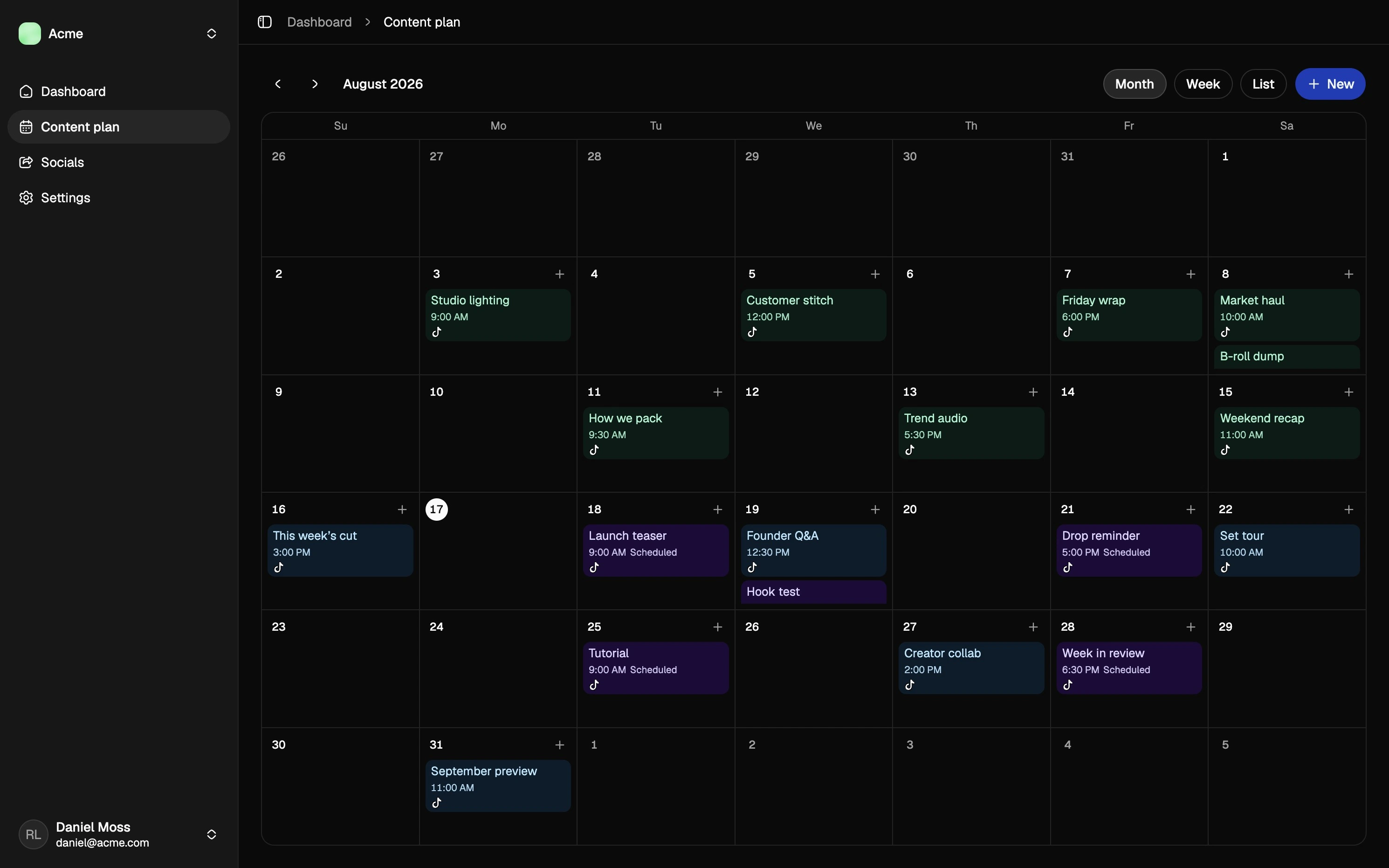
Connect social accounts, put drafts on a shared Team calendar, and see how published posts perform — in one workspace.
See the week at a glance. Planned, scheduled, and posted work lives on a shared calendar — not in a spreadsheet nobody opens.
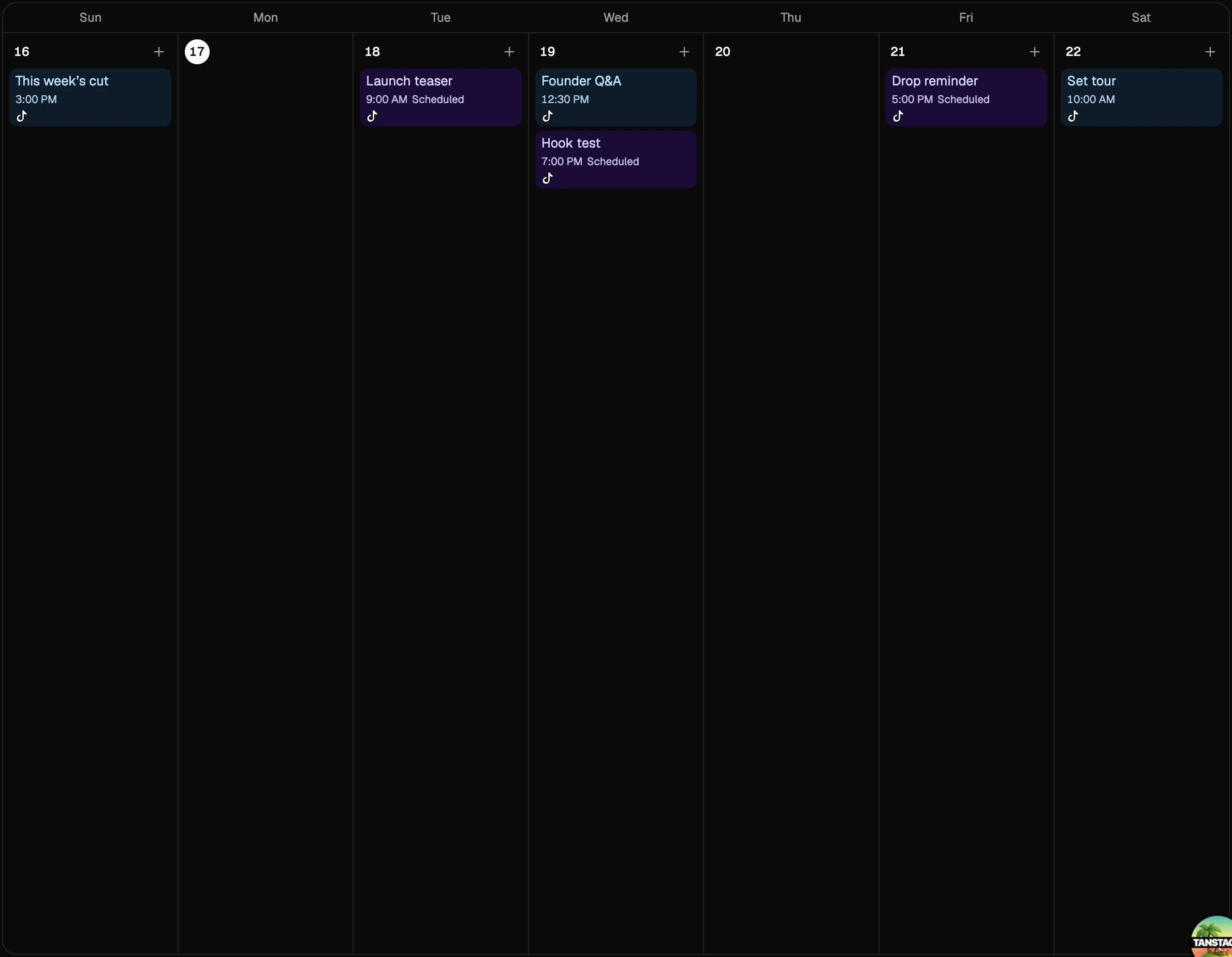
Set the time. It goes live. Schedule a post from the content plan and Postberry publishes when the slot hits.
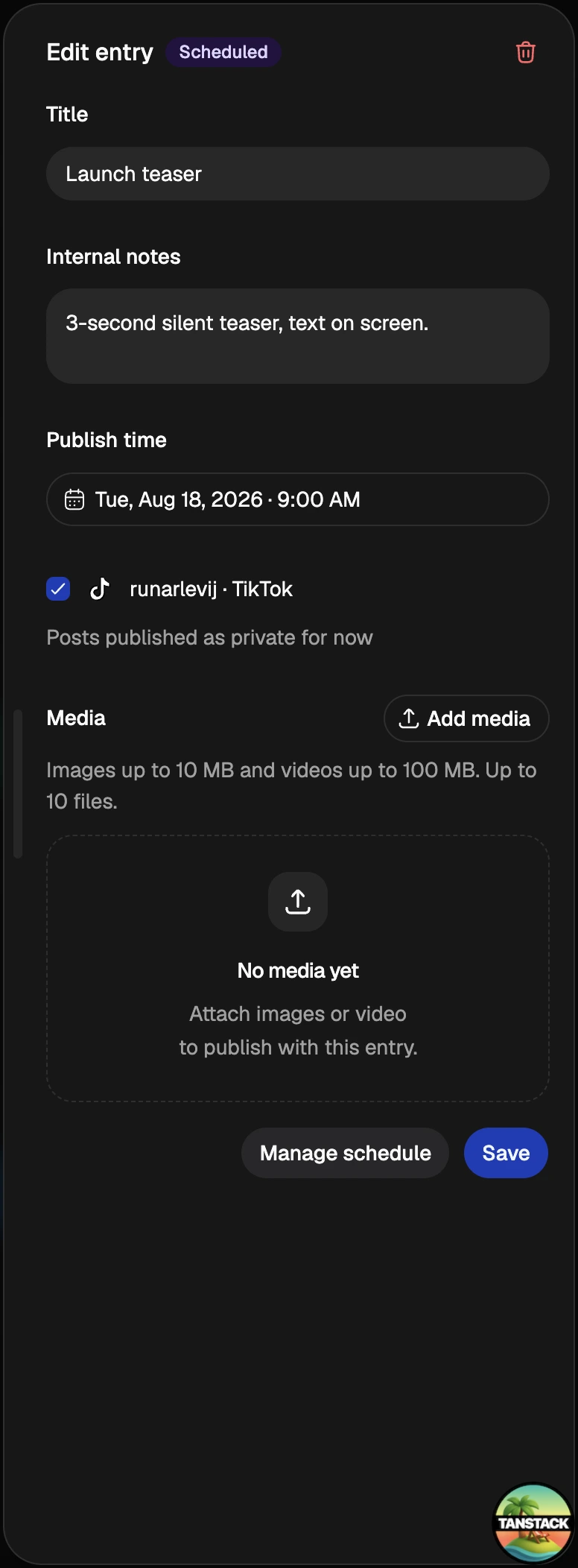
Content plan. Draft captions, attach media, and keep the week in one place.
Scheduled publishing. Queue posts for connected accounts instead of sitting on publish.
Team workspace. Invite the people who plan and publish with you.
Social accounts. Connect the accounts you already post from and work from there.
If you plan in a doc, publish in the apps, and share numbers in chat, the week gets messy. Postberry keeps the calendar, the connected accounts, and performance in the same workspace so your Team can see what is going out and what already ran.
Connect accounts, then schedule and measure from one place
Shared calendar per Team, from draft to posted
Steps: create a Team, connect an account, plan a post
See how posts actually did. Review connected account performance next to the plan, instead of screenshotting analytics in each app.
Invite the people who actually post. Teammates see the same calendar, drafts, and connected accounts.
Switch Teams without chaos. Brands, clients, or side projects each get their own accounts, calendar, and members.
Social performance. Check how published content is doing over time.
Connected accounts. Connect social accounts and keep posting from the same Socials page.
Invite teammates. Bring in the people who draft, schedule, and review with you.
Shared context. Everyone on the Team works from the same accounts and calendar.